Allstate Mobile
- 4.1
- Rating
- 10.00M
- Installs
- Free
- Price

 Analysis by App-foxy
Managing insurance is rarely something I want to do at a desk. It usually comes up when I am standing beside a parked car, checking a document before a trip, or trying to remember what information another person in my household needs. That is where Allstate Mobile makes sense: it brings an Allstate account into a phone-based finance experience rather than making every small task feel like a separate call or visit.
I reviewed it as an insurance companion, not as a general budgeting tool. It is a free app from The Allstate Corporation, designed for Allstate customers who want access to their insurance information while away from a computer. Its store presence is substantial, with more than ten million installs, an average rating of 4.1, and a large volume of user feedback. Those figures suggest that it is a familiar tool for many policyholders, although popularity does not remove the need to check whether its account workflow suits your household.
How Allstate Mobile fits into everyday household use
The most convincing use case is shared household coordination. Imagine that I am not the only person who drives the insured vehicle. A partner may need policy information while I am at work, or another trusted household member may need to check something before using the car. Having the insurance account available on a phone can reduce the awkward handoff of paper documents and the need to search through old email messages.
You May Also Like

 Blood Strike: 2.5 Anniversary
Blood Strike’s Loadouts Turn Every Drop Into a Tactical Gamble
A close look at Blood Strike’s custom loadouts: how fast access to signature weapons reshapes its battle royale rhythm, rewards preparation, and narrows the gap between fights.

 Pandora - Music & Podcasts
Pandora’s Music Is Easy to Start, but Harder to Recover
Pandora’s strength is its low-effort path from a seed to a station. Its weak spot is how much confidence it asks you to place in connection, setup, and quiet recovery.

 8 Ball Pool
 Is Built on Rivalries, Rematches, and Routine
A close look at the rivalries, rematches, shared routines, and unanswered safety questions that turn a quick pool match into a persistent mobile community.

 Samsung Music
’s Quiet Strength Is Playing What You Already Own
Its reach comes less from spectacle than from dependable access to a personal library. That simplicity is both the app’s strongest retention engine and its ceiling.

 AccuWeather: Weather Radar
AccuWeather Review: A Quick, Clear Forecast for Everyday Decisions
For everyday plans, the best forecast is the one you can understand quickly. AccuWeather makes rain timing, radar, and local conditions easy to act on, with a few trade-offs.

 Hill Climb Racing
Why Hill Climb Racing Still Turns Crashes Into One More Run
A tiny car, a bumpy hill and one more upgrade: Hill Climb Racing keeps resurfacing because its simple chaos makes every near-miss feel personal.
More From Our News Desk



That convenience is especially useful when the person handling the immediate task is not the person who normally manages the policy. I can picture checking the app before leaving for a trip, then showing the relevant information to someone else in the household so both people are working from the same account details. The value is less about opening the app every day and more about having a dependable place to start when insurance suddenly becomes relevant.
There is an important boundary here: a shared household does not automatically mean a shared login should be passed around casually. Insurance information is personal and can connect to sensitive account details. I would treat the phone owner and the account holder as separate roles, even when they live together. If another person needs regular access, it is better to use the account arrangements Allstate makes available rather than assuming that one password is a harmless family shortcut.
This distinction matters on a shared device too. A family tablet or an older phone used by several people may be convenient for general household tasks, but it is not the same as a private device. I would avoid leaving an insurance session open where children, guests, or casual users can reach it. The app can be useful in a household, but the household still needs sensible account habits.
What the first setup feels like
The initial setup is best approached as an account-access task, not as a quick anonymous download. Since this is a customer-facing insurance app, I would have the policyholder’s information ready and make sure the phone is using the correct personal account. That preparation prevents a common household mistake: one person begins setup, another person finishes it, and nobody is sure which credentials or contact details are now associated with the app.
I also recommend deciding in advance who should be allowed to use the phone for insurance tasks. On a personal phone, that may simply be the owner. On a shared device, I would establish a clear rule that the app is opened only by the adult responsible for the policy or by another trusted adult who has a legitimate reason to access it. That is not a special feature of the app; it is a practical boundary around the information the app handles.
Allstate Mobile is free, which removes a financial barrier to trying it. The app is rated for Everyone, but that age label should not be confused with unrestricted access to an insurance account. A young person may be able to use a phone comfortably, yet still should not be given independent access to policy information simply because the app itself carries a broad content rating.
On Android, the current version is 20.7.1 and the minimum operating system is Android 10. For anyone setting up an older household phone, that requirement is worth checking before planning to use the device as the family insurance screen. If the phone cannot run the current app, relying on it for an urgent task could create more frustration than convenience.
Coordinating without creating confusion
The strongest household workflow is to use the app as a shared reference point while keeping responsibility clear. For example, I would let the primary policy manager review the account and then communicate the necessary information to another driver, rather than giving every household member unrestricted access by default. This keeps coordination practical without turning the app into a communal password vault.
A useful habit is to check important information before it is needed. If I am preparing for a journey, I would open the app while I still have time to resolve an access issue, rather than waiting until I am already outside or dealing with a stressful roadside situation. That small change in timing is one of the most useful lessons with any insurance app: convenience only helps if the account is ready before the urgent moment.
I would also avoid treating a screenshot or an old saved document as a permanent substitute for checking the current account. Insurance details can change, and a static copy may not reflect the latest information. The app is more useful when it becomes the place I consult for current account context, while any document I share with another person is treated as a snapshot rather than the final authority.
Another practical trade-off appears when several people have different expectations. One household member may want a quick way to find insurance information, while another may prefer speaking with a representative for anything complicated. Allstate Mobile works well as the first stop for routine account access, but I would not force every insurance conversation through the app. If a situation involves a dispute, an unclear claim, or a decision with serious financial consequences, direct assistance may be more appropriate than trying to solve everything on a small screen.
Age, trust, and the limits of shared access
The Everyone rating makes the app broadly suitable from a content perspective, but insurance access still depends on trust and responsibility. I would be comfortable helping a teenager understand where insurance information is located, especially if that person drives a household vehicle. I would be much more cautious about allowing independent account management without an adult checking what is being viewed or changed.
This is where the app’s role needs to be understood clearly. It is not a family organizer, a parenting tool, or a replacement for discussing who is covered and what to do after an incident. A young driver may benefit from knowing that the app exists, but the household should still agree on who contacts Allstate, who documents an event, and who makes decisions. The application can support that plan; it cannot create the plan for you.
Trust also matters between adults. A shared household may contain separate policies, vehicles, or responsibilities. I would not assume that one person’s access should expose every insurance detail belonging to another person. Before using a shared phone, I would confirm whose account is active and sign out when the task is complete if the device is not private. That simple check is more valuable than pretending that shared convenience has no privacy cost.
For older relatives, the app may be helpful if they are comfortable with mobile navigation, but I would not make it the only route to insurance information. A family member who finds login screens or phone-based forms difficult may need another person’s help or a traditional support channel. The best household setup is flexible: the app handles convenient self-service for people who prefer it, while human assistance remains available for those who do not.
Where it compares well with usual insurance alternatives
Compared with keeping paper documents in a glove compartment, the app offers a more immediate way to begin looking at an insurance account. Paper can be useful when a phone battery is dead or connectivity is poor, but it can also become outdated or difficult to locate. I see Allstate Mobile as a companion to sensible records, not a reason to discard every backup.
Compared with using a mobile browser, a dedicated app can feel more natural for repeated account access. I do not have to begin with a general web search, and the experience is built around the insurance relationship rather than a broad website. The advantage is most noticeable for customers who check their account more than once or who want a familiar icon ready on the phone.
Compared with calling an insurer for every small question, the app can save time when I already know what I need and the task fits an account-based workflow. That does not mean it replaces a representative. A phone call remains the better choice when I need clarification, nuanced advice, or help interpreting a complicated situation. The app’s efficiency depends on the task being straightforward enough for self-service.
It is also different from a general finance app. I would not choose it to track spending, build a budget, monitor investments, or manage unrelated accounts. Its usefulness comes from being tied to Allstate insurance, so people who do not have an Allstate relationship are unlikely to gain much from installing it. Even for customers who do, the app is a focused tool rather than an all-purpose financial dashboard.
Small habits that make the experience more reliable
My first recommendation is to test access during a calm moment. Open the app, confirm that the correct account is available, and make sure the household member who may need help knows who is responsible for the login. This is more useful than waiting until a trip, a vehicle problem, or a document request creates pressure.
My second recommendation is to separate “finding information” from “making decisions.” A household member may be able to locate an insurance detail in the app, but that does not automatically mean they should make a coverage decision or report an incident without consulting the policyholder. Keeping those roles separate reduces accidental changes and misunderstandings.
My third recommendation is to be deliberate with shared phones. Use a device lock, avoid saving credentials on a phone that belongs to several people, and close the session when the task is finished. These are ordinary security steps, but they matter more when the app is used by a household rather than one private user.
My fourth recommendation is to maintain a fallback. A phone app is convenient, but phones can be lost, damaged, uncharged, or unable to connect at the exact moment they are needed. I would keep essential insurance information available through an appropriate backup method and make sure the household knows how to seek direct help when the app is not enough.
Who should use it and who should look elsewhere
I would recommend Allstate Mobile to an Allstate customer who wants a convenient mobile entry point for insurance account tasks. It is particularly practical for a household where one person usually manages the policy but another person occasionally needs access to current information. It also suits people who prefer checking an account on a phone instead of searching through papers or opening a browser each time.
I would be less enthusiastic for someone who expects a complete financial management suite. The app’s focus is insurance, so it should not be judged as a budgeting or banking replacement. I would also suggest caution for households that need several people to manage separate accounts with finely divided permissions. In that situation, the important question is not simply whether the app is installed, but whether the available account arrangement matches the household’s privacy and responsibility boundaries.
People who rarely use mobile apps may not gain much from installing it either. If calling Allstate is already comfortable and the customer has little need for on-the-go account access, the app may remain unused. Likewise, anyone using an older Android phone should check compatibility before depending on it, since the current release requires Android 10 or later.
My household verdict
After looking at it as a real household tool, I see Allstate Mobile as a practical convenience rather than a complete solution to insurance management. Its best quality is immediacy: when an Allstate customer needs to begin an account task from a phone, the app gives that task a dedicated place. That can make coordination easier when a partner or another trusted driver needs information at the right moment.
The main limitation is not that it lacks ambition; it is that insurance access naturally involves privacy, responsibility, and situations too complicated for a simple mobile workflow. I would install it for the policyholder, establish clear boundaries on a shared device, test access before an urgent need, and keep a backup route for support. With those habits, the app becomes genuinely useful without being treated as a substitute for judgment or personal assistance.
Overall, the free price and broad availability make it easy for Allstate customers to try, and the 4.1 average from a large user base indicates that many people find value in the experience. My recommendation is strongest for customers who want routine insurance access while away from a computer. For everyone else, especially people seeking a general finance manager or a fully shared family-control system, a different kind of app would be a better match.
FAQs for Allstate Mobile
01What features does the Allstate Mobile app offer?
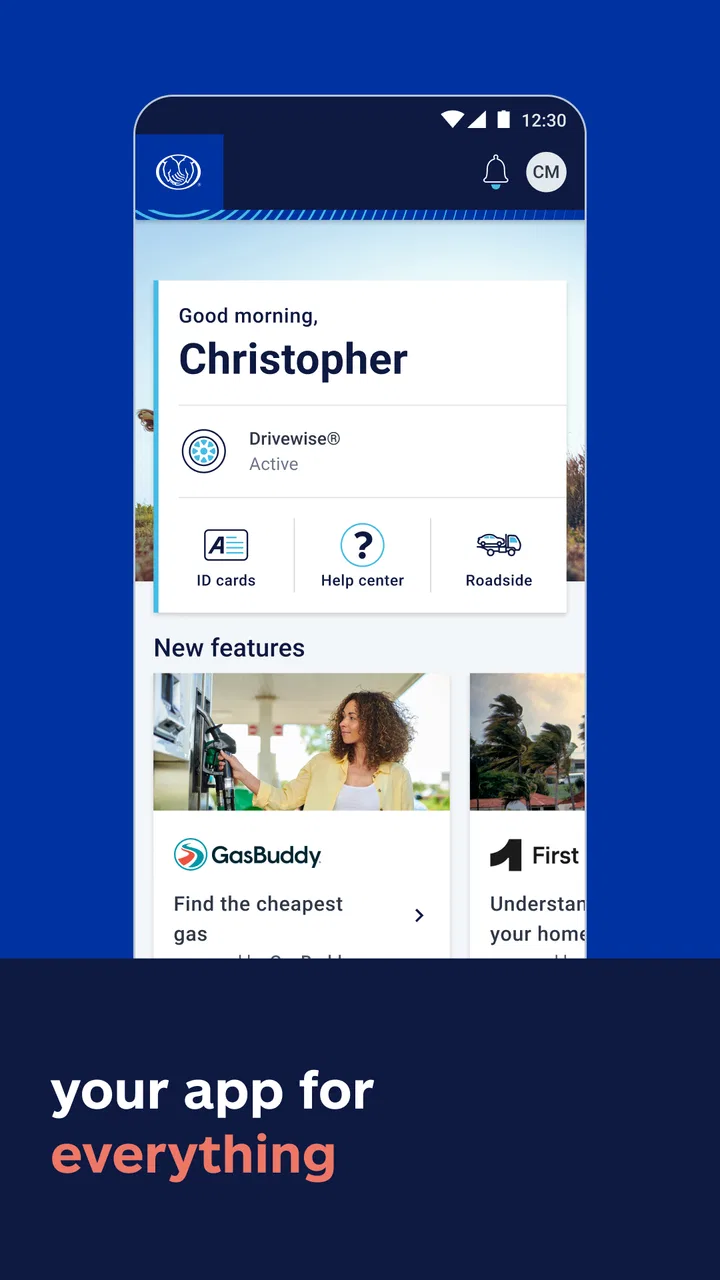
The Allstate Mobile app provides a range of features designed to simplify insurance management. Users can access digital ID cards, file claims, and manage their policies directly from the app. Additionally, the app offers roadside assistance and enables users to locate nearby repair shops. Drivewise, a feature within the app, helps track driving habits for potential savings.
02How does Drivewise work within the Allstate Mobile app?
Drivewise is a telematics feature in the Allstate Mobile app that monitors driving behavior. It tracks metrics such as speed, braking, and time of day to evaluate driving habits. Users can earn rewards and discounts based on their safe driving scores, making it a valuable tool for those looking to save on their insurance premiums.
03Is my personal data secure with the Allstate Mobile app?
Yes, Allstate prioritizes the security of user data. The app employs advanced encryption methods to protect sensitive information such as policy details, payment methods, and personal identification. Regular updates are implemented to ensure security protocols remain robust, giving users peace of mind while managing their insurance on the app.
04Can I file a claim through the Allstate Mobile app?
Absolutely. The Allstate Mobile app allows users to file claims quickly and efficiently. The app guides users through the process, enabling them to upload photos, provide necessary details, and track the progress of their claims. This streamlined approach reduces the hassle traditionally associated with filing insurance claims.
05Is the Allstate Mobile app available for both Android and iOS?
Yes, the Allstate Mobile app is available for download on both Android and iOS platforms. Users can find it on the Google Play Store for Android devices and the Apple App Store for iOS devices. The app is regularly updated to ensure compatibility with the latest operating system versions, enhancing user experience.
Pros
- User-friendly interface that's easy to navigate.
- Quick access to insurance ID cards.
- Efficient claims processing feature.
- Real-time roadside assistance requests.
- Customizable alert notifications.
Cons
- Occasional app crashes reported by users.
- Limited functionality without internet.
- Some features require multiple steps.
- Login can be slow at times.
- Limited support for older devices.

Allstate Mobile
Gallery